Stop Juggling Tools: Introducing the All-New API Explorer in crudspace.io
Stop Juggling Tools: Introducing the All-New API Explorer in crudspace.io
If you're a Salesforce developer, admin, or architect, you know the drill. You write some Apex, create a new endpoint, or need to test an integration, and you find yourself reaching for an external tool like Postman or Workbench. You're constantly switching windows, copying and pasting session IDs, and manually building requests. It's a clunky workflow that breaks your focus and slows you down.
What if you could build, test, and manage all your Salesforce API calls directly within the same workspace where you manage your data?
We're thrilled to introduce the API Explorer — a powerful, fully-integrated REST client built right into crudspace.io. Designed to streamline your development and testing process, the API Explorer eliminates the need for external tools, keeping you fast, focused, and productive within your Salesforce environment.
Why the API Explorer is a Game-Changer
The API Explorer isn't just another API client; it's a seamless extension of your Salesforce workflow. It intelligently handles authentication and provides the tools you need to interact with Salesforce APIs effortlessly.
- Test Instantly, Without Leaving the Platform: Execute REST API requests directly against your connected org.
- Zero-Configuration Authentication: Your instance URL and authorization headers are automatically handled. No more token hunting!
- Organize Your Work with Collections: Save, group, and reuse your API requests for different projects and features.
- Pre-built Templates for Speed: Instantly access common Salesforce endpoints for SObjects, Bulk API, Composite API, and more.
Getting Started: Your First API Call in Under 60 Seconds
Getting up and running with the API Explorer is incredibly simple. Here's how:
1. Sign In and Connect Your Org
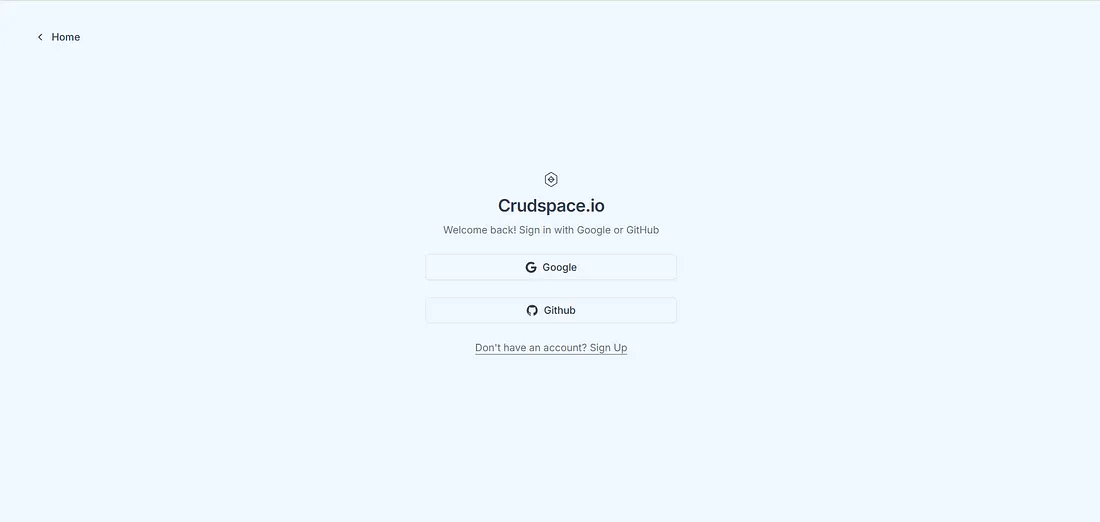
First, log in to crudspace.io using your Google or GitHub account. The process is quick and secure.
Next, connect your Salesforce organization. You can connect to a Production or Sandbox org with a single click, or use the Instance URL & Session ID for specific use cases.
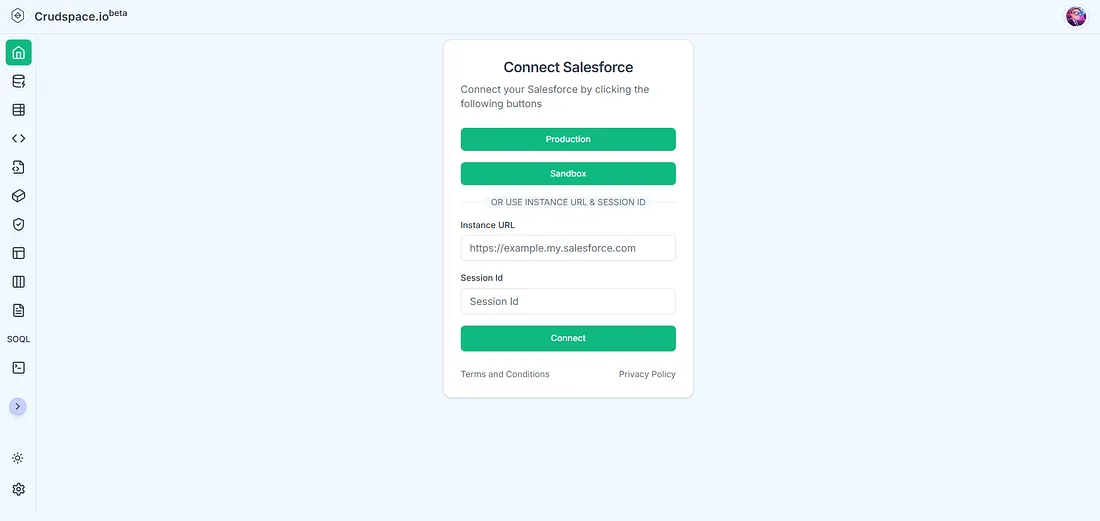
You'll then be prompted to authorize crudspace.io to access your org. This is a standard, secure OAuth flow.
2. Navigate to the API Explorer
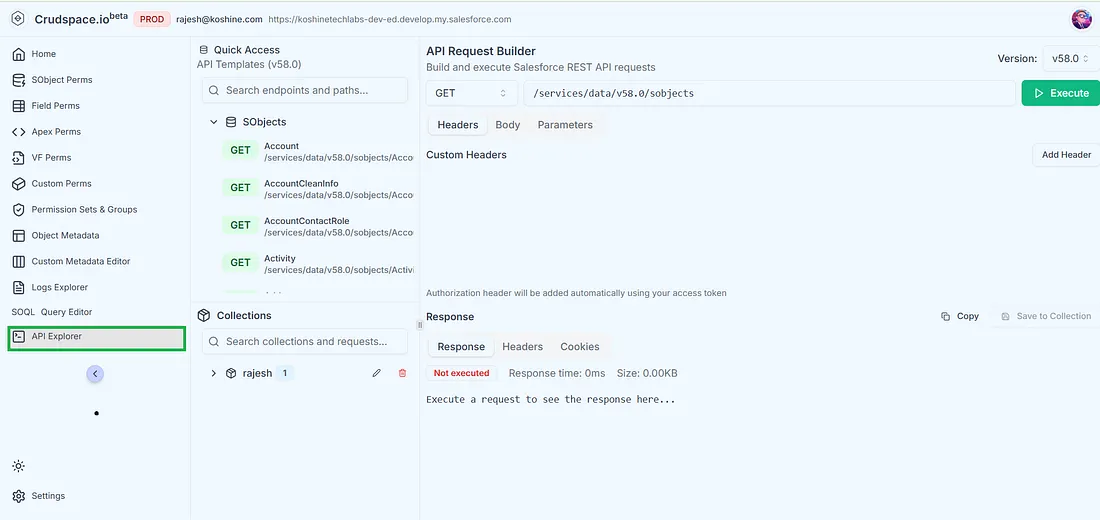
Once your org is connected, find the API Explorer icon in the left-hand navigation menu. This is your new command center for all things API.
3. Build and Execute Your Request
This is where the magic happens. The API Explorer interface is divided into four intuitive sections:
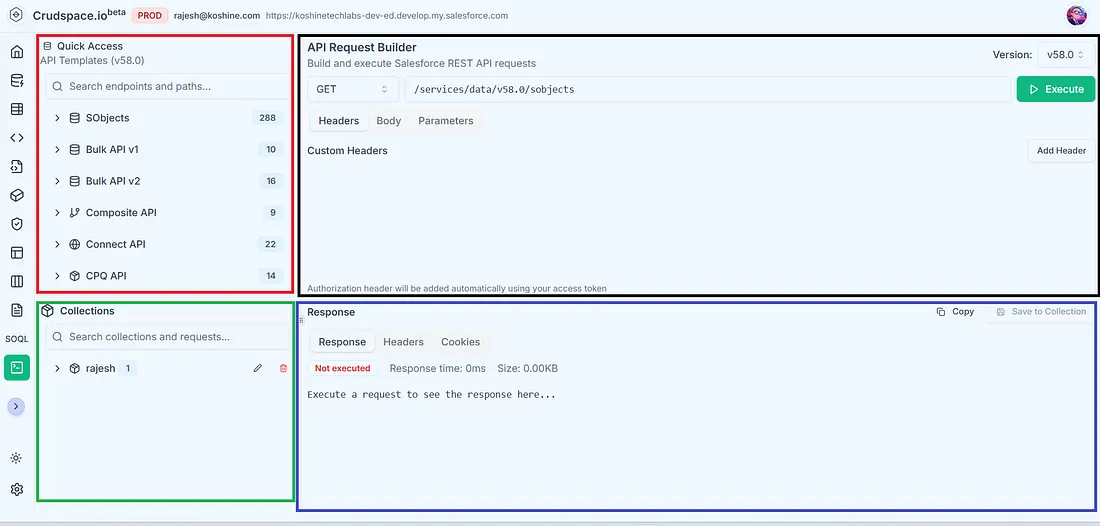
- (Red Section) API Templates: Don't know the exact endpoint? No problem. Browse our library of pre-built templates for common APIs like SObjects, Bulk API, and Composite API. Click on one — for example, Account under SObjects—to automatically populate the request URL. You can also type in your own custom endpoint. Remember, the instance URL is added for you!
- (Black Section) API Request Builder: This is your main workspace.
- Select the HTTP Method (GET, POST, PUT, PATCH, DELETE).
- Verify or enter your request URL.
- Add any necessary Headers, Body (for POST/PUT requests), or query Parameters.
In Action: Creating a New Account Record
Let's walk through a common use case: creating a new Account record using a custom request.
Here's how you would set it up in the API Request Builder:
-
Select the Method: To create a new record in Salesforce, you use the POST method. Change the dropdown from GET to POST.
-
Enter the Request URL: The standard endpoint for creating an SObject record is
/services/data/vXX.X/sobjects/[ObjectName]. For an Account, you would enter:URL: /services/data/v58.0/sobjects/Account -
Add the Request Body:
- Click on the Body tab.
- This is where you'll define the fields for the new Account record. The body needs to be a JSON object containing the field API names and their values.
- Paste the following JSON into the Body text area:
{
  "Name": "Global Tech Innovations",
  "Industry": "Technology",
  "Phone": "(415) 555-1234",
  "AnnualRevenue": 50000000
}
That's it! Your setup should look something like this:
- Method: POST
- URL:
/services/data/v58.0/sobjects/Account - Body: (The JSON object from above)
Now, click Execute. 🚀
If the request is successful, you'll see a 201 Created status in the Response Viewer, and the response body will contain the ID of the new Account record you just created.
- (Green Section) Collections: Keep your workspace tidy! This panel shows all your saved requests and the collections you've created for easy access and reusability.
- (Indigo Section) The Response Viewer: This is where you see the results of your API call. After you click Execute, the response from Salesforce will be displayed here. You can analyze the Response body (often in JSON format), inspect HTTP Headers, and check Cookies. It also provides key metrics like the Response time and Size.
4. Save Your Request to a Collection
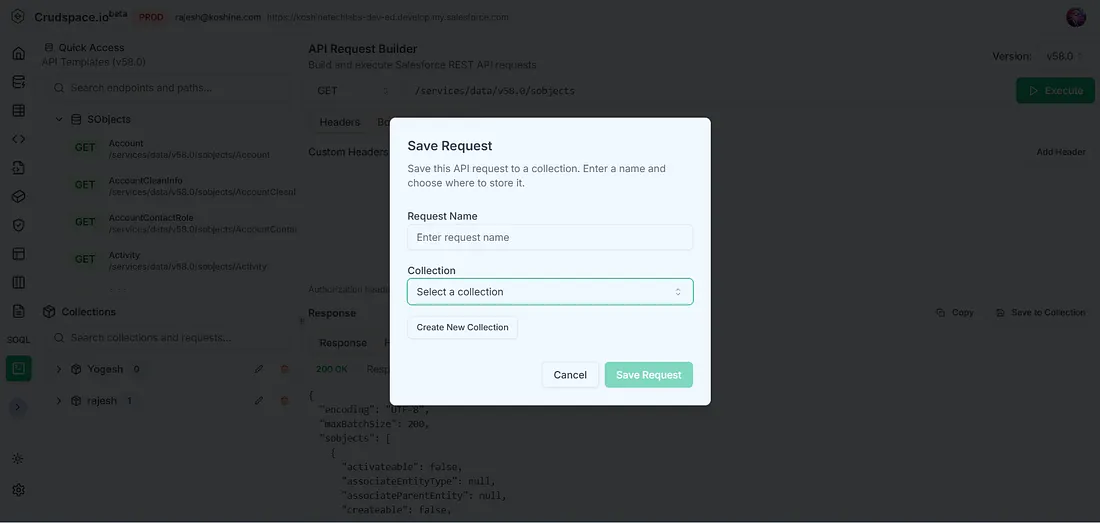
Found a request you'll need again? Don't let it get lost. Click the Save to Collection button above the response viewer. A dialog will appear, allowing you to name your request and save it to an existing collection or create a new one on the fly.
Perfect for Every Salesforce Professional 🧑💻
The API Explorer is designed to empower every role within the Salesforce ecosystem.
- For Developers: This is your new best friend. Debug your custom Apex REST services, test API limits, explore the capabilities of standard APIs, and build integration proofs-of-concept faster than ever before. The collections feature helps you build a library of test calls for every project.
- For Administrators: Ever wanted to quickly check data from a related object without building a report, or perform a quick data update via the API? The API Explorer gives you a powerful tool to interact directly with your data and metadata in a controlled way.
- For Architects and Consultants: When designing a new integration or solution, use the API Explorer to quickly prototype calls, validate payloads, and understand the org's API behavior without writing a single line of code.
The Future is Integrated
The API Explorer is more than just a feature — it's a core part of our vision for crudspace.io as the ultimate all-in-one workspace for Salesforce professionals. By bringing essential tools like API testing directly into the platform, we help you stay in your flow state and achieve more.
Ready to reclaim your productivity and stop switching between tools?
Try crudspace.io free today and experience a smarter way to work with Salesforce APIs!